I'M NOT RESPONSIBLE OF YOUR USE OF THE INFORMATION GIVEN IN THIS POST.
There are mainly 2 sites where you can find music sheets for piano :
-pianofiles.com : it requires registration but then you will be able to trade with other people and about 4 million of sheets
-scribd.com: this isn't particullary made for music sheets but you can even find some. This also requires registration.
I hope you like this post, if you have any question comment or send me an email to damianoandre@gmail.com
Bye, Dami
sabato 27 luglio 2013

Blender depth of field and RGB curves test
Hi, today I'm simply posting a test of depth of field and RGB curves in blender.
Maybe in the next days I'll post a tutorial for these features.
Here is my render:

Bye, Dami
Maybe in the next days I'll post a tutorial for these features.
Here is my render:

Bye, Dami
sabato 13 luglio 2013
Blender trasparent texture
Hi, today I'm here with a simple but really useful tip: using transparent textures on planes (but also other meshes) in blender.
First of all I wanna say that I discovered this method here.
I'm working with blender 2.66 but I think it works fine in 2.5x or higher.
Here is the final result:

To reach this result follow these steps in order:
1)create your plane (or other mesh)
2)create a new material for this object

3) active transparency and set alpha value (optional: also specular value) to 0

4)in the texture panel create a new texture and set as type "image or movie"
5)load your image
6)under Influence tick alpha and leave its value to 1.0

7)Optional: to make the image fit the plane: under texture panel, in image mapping set "clip" instead of "repeat"

8)Now it you try rendering you will see that shadows made by your plane aren't of the same shape of your texture; to make them follow your image you will have to change settings in the object that RECEIVE the shadows.
In the material panel, under shadow, tick "receive transparent".

I hope you like this post, if you have any question please comment or send me an email to damianoandre@gmail.com
Bye, Dami
First of all I wanna say that I discovered this method here.
I'm working with blender 2.66 but I think it works fine in 2.5x or higher.
Here is the final result:
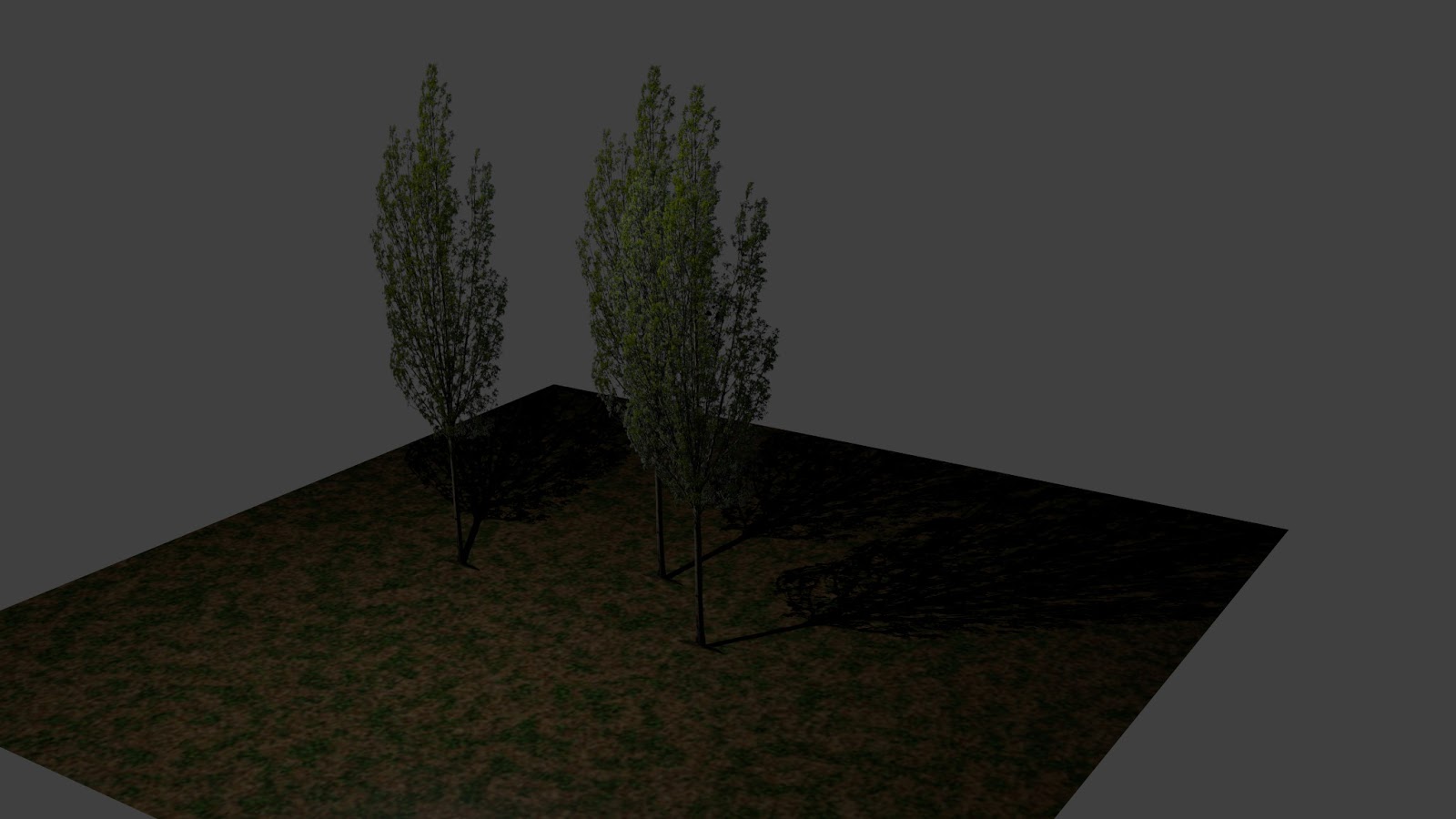
To reach this result follow these steps in order:
1)create your plane (or other mesh)
2)create a new material for this object

3) active transparency and set alpha value (optional: also specular value) to 0

4)in the texture panel create a new texture and set as type "image or movie"
5)load your image
6)under Influence tick alpha and leave its value to 1.0

7)Optional: to make the image fit the plane: under texture panel, in image mapping set "clip" instead of "repeat"

8)Now it you try rendering you will see that shadows made by your plane aren't of the same shape of your texture; to make them follow your image you will have to change settings in the object that RECEIVE the shadows.
In the material panel, under shadow, tick "receive transparent".

I hope you like this post, if you have any question please comment or send me an email to damianoandre@gmail.com
Bye, Dami
sabato 29 giugno 2013
Cockroft Walton voltage multiplier
A cockroft walton voltage multiplier is a circuit that increase the input voltage.
The circuit is made by stages and each stage is made by 2 diodes and 2 capacitors.
Here is a schematic of a 2 stages voltage multiplier:
 I used IN4007 diodes and some high voltage capacitor that I found in a printer power supply circuit; however i reccommend ceramic capacitors with low capacitance and about 3kv of max voltage.
Here are some photos of mine 8 stages, 5kv, cockroft walton multiplier:


 Here is a video:
I hope you like this post, if you have any question comment or send me an email to damianoandre@gmail.com
Bye, Dami
The circuit is made by stages and each stage is made by 2 diodes and 2 capacitors.
Here is a schematic of a 2 stages voltage multiplier:

Here are some photos of mine 8 stages, 5kv, cockroft walton multiplier:


Bye, Dami
sabato 15 giugno 2013
Base Filtering Engine: "access is denied" restore tutorial
Hi, today I'm here with a quick tip that I found useful.
I had problems with windows firewall and to solve them I had to start the BFE service but when I tried to do it appeared an error message saying "error 5: access is denied"
Here is a step by step tutorial for solving this problem:
-download this 2 files: file 1 , file 2
-double click FIRST firewall.reg and THEN bfe.reg
-restart your pc
-open "regedit"
-go to HKEY_LOCAL_MACHINE>SYSTEM>CurrentControlSet>services>BFE
-right-click on BFE and click permissions
-check that for "Everyone" is enabled "full control" and if not, do it

-open "services" and now try to start BFE
If you have done everything in the right way it should start.
I hope you like this post, if you have any question comment or send me an email to damianoandre@gmail.com
Bye, Dami
I had problems with windows firewall and to solve them I had to start the BFE service but when I tried to do it appeared an error message saying "error 5: access is denied"
Here is a step by step tutorial for solving this problem:
-download this 2 files: file 1 , file 2
-double click FIRST firewall.reg and THEN bfe.reg
-restart your pc
-open "regedit"
-go to HKEY_LOCAL_MACHINE>SYSTEM>CurrentControlSet>services>BFE
-right-click on BFE and click permissions
-check that for "Everyone" is enabled "full control" and if not, do it

-open "services" and now try to start BFE
If you have done everything in the right way it should start.
I hope you like this post, if you have any question comment or send me an email to damianoandre@gmail.com
Bye, Dami
mercoledì 5 giugno 2013
Small diy electric motor tutorial
Hi, today I'm here with a tutorial for creating a small electric motor.
First of all you will need:
-a power source (5v or more)
-some tape
-some wires
-some NON-insulated wire
-some magnet wire
Most of sites suggest to buy it on online stores but finding it is easier than it seems.
In fact most of windings of transformers or inductors are made with magnet wire.
I took my magnet wire form inductors in a printer power supply circuit.

-a quite strong magnet (I took it from a geomag)
Construction:
-Use your insulated wire to create 4/5 loop coil of about 1.5 cm diameter like this:

-Use a knife to cut insulating layer from your wire, at one end of your wire cut all insulating layer, at the other just half, like this:


-assemble everything like this:


Making it works:
To make it works, put the magnet near the coil, and plug the two supports to your power supply.
The hardest part is calibration, don't give after 2 minutes, just try making adjustments to the coil or the magnet.
Here is my motor working:
I hope you like this post, if you have any question comment or send me an email to damianoandre@gmail.com
Bye, Dami
First of all you will need:
-a power source (5v or more)
-some tape
-some wires
-some NON-insulated wire
-some magnet wire
Most of sites suggest to buy it on online stores but finding it is easier than it seems.
In fact most of windings of transformers or inductors are made with magnet wire.
I took my magnet wire form inductors in a printer power supply circuit.

-a quite strong magnet (I took it from a geomag)
Construction:
-Use your insulated wire to create 4/5 loop coil of about 1.5 cm diameter like this:

-Use a knife to cut insulating layer from your wire, at one end of your wire cut all insulating layer, at the other just half, like this:
 |
| cut insulating layer with a knife |
-Use pilers to model NON-insulated wire to create two supports like this:


Making it works:
To make it works, put the magnet near the coil, and plug the two supports to your power supply.
The hardest part is calibration, don't give after 2 minutes, just try making adjustments to the coil or the magnet.
Here is my motor working:
I hope you like this post, if you have any question comment or send me an email to damianoandre@gmail.com
Bye, Dami
giovedì 30 maggio 2013
Quick tip: update music library android
Hi, this is just a tip that I found useful when I added new songs to my phone but they weren't displayed in the music library.
- Go to settings>apppications>manage applications and find a system service named "media storage"
-Click the button "clear data"
-unmoumt and then mount sd card
And here you are!
I hope you like this post :)
Bye, Dami
mercoledì 24 aprile 2013
Tilt shift effect open source software
Hi, this is a quick post, just to say that I created a simple software (this is the first version, I'll add some improvements) to create tilt shift effect in photos.
Here is the google code project link:
http://code.google.com/p/open-tilt-shift/
This is basically how it works (this photo is from an article of another blog):

If you want to check the processing code, you can download it from the google code project page.
I hope you like this post, if you have any question comment or send me an email to damianoandre@gmail.com
Bye, Dami
Here is the google code project link:
http://code.google.com/p/open-tilt-shift/
This is basically how it works (this photo is from an article of another blog):

If you want to check the processing code, you can download it from the google code project page.
I hope you like this post, if you have any question comment or send me an email to damianoandre@gmail.com
Bye, Dami
Iscriviti a:
Post (Atom)